How to Create a JazzCash Account and Receive PM Ramadan Relief 2026
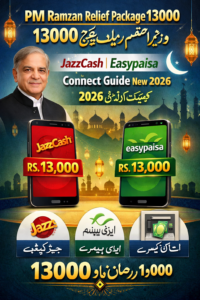
The government of Pakistan has increasingly shifted towards digital platforms for delivering social protection programs, including financial assistance during special circumstances like Ramadan. How to Create a JazzCash Account efficiently is a growing necessity for many low-income families seeking to receive these government funds. Mobile wallets like JazzCash provide a quick and secure method for citizens to receive government payments, send money, pay utility bills, and manage financial transactions directly from their mobile devices. The Prime Minister Ramadan Relief Package 2026, targeting vulnerable populations, utilizes these platforms to ensure timely and transparent disbursements; this guide explains the process for creating a JazzCash account and collecting assistance.
Understanding the PM Ramadan Relief Program and Digital Disbursement
The Prime Minister Ramadan Relief Package is a financial assistance program initiated by the Government of Pakistan to support low-income families in securing essential food items and resources during the holy month of Ramadan. Unlike traditional distribution methods that involved long queues and manual processing, the program leverages digital financial services. This shift to mobile wallets ensures that eligible families can receive funds directly and securely without relying solely on physical collection points.
Requirements for JazzCash Account Registration
Before creating a JazzCash account, it is essential to have specific documentation ready. The verification process relies heavily on accurate personal identification to comply with national financial regulations. To successfully register, an individual must have:
- A valid Computerized National Identity Card (CNIC) issued by NADRA.
- A mobile SIM card registered under the same CNIC.
- An active mobile network connection.
- A smartphone capable of running the JazzCash mobile application (although USSD method exists for feature phones).
Steps to Create a JazzCash Account via Mobile App
Creating a JazzCash account through the mobile application is the simplest and most recommended method, taking only a few minutes. This process provides access to the full range of JazzCash services and features.
- Download and Install: Visit the official Google Play Store or Apple App Store. Search for “JazzCash – Mobile Account” and download the application.
- Registration Initiation: Open the newly installed application and tap on the “Register” or “Create Account” option.
- Enter Personal Information: Input your registered mobile number and your CNIC number exactly as it appears on the identity card.
- Verification and MPIN Setup: A one-time password (OTP) will be sent to your mobile number for verification. Follow the prompts to set up a secure 4-digit Mobile PIN (MPIN). This MPIN acts as your account password for all future transactions.
- Biometric Confirmation (Optional): Some users may be asked to complete biometric verification to increase account security and transaction limits.
Collecting PM Ramadan Relief Funds Through the JazzCash Account
Once your JazzCash account is active, you can utilize it to receive government relief funds, assuming you are an eligible beneficiary. The government’s process for disbursement involves several stages, all initiated by official communication.
- Eligibility Check: The first step for recipients is to check their eligibility through official government portals, such as the BISP 8171 portal (8171.bisp.gov.pk) or the dedicated PM Relief Portal (pmrrp.nitb.gov.pk).
- Official Notification: After eligibility verification, the recipient receives an official SMS notification indicating that the PM Ramadan Relief amount has been transferred to their JazzCash account.
- Fund Access: Users can access the funds instantly through the JazzCash mobile application or visit any nearest JazzCash agent shop.
Security Advice for Receiving PM Ramadan Relief Payments
When dealing with large government disbursements, security is paramount. To protect beneficiaries from fraud, users must maintain vigilance regarding potential scams.
- MPIN Protection: Never share your MPIN or account details with anyone, including individuals claiming to represent JazzCash or government officials on phone calls or messages.
- OTP Verification: Only enter an OTP on an official JazzCash (or government) platform during verification processes initiated by you. Be wary of unauthorized individuals requesting OTPs.
- Verify Official Channels: All official communication regarding the PM Ramadan Relief will come from verified government codes (like 8171) and not from personal mobile numbers. Always use the BISP portals for PM Ramadan Relief eligibility checks.
EasyPaisa: An Alternative Platform for Receiving Government Assistance
While JazzCash is a primary partner, EasyPaisa also facilitates digital government financial assistance. The process for how to create an EasyPaisa account and receive PM Ramadan Relief 2026 is similar in structure. EasyPaisa provides a robust alternative for beneficiaries who prefer its interface or find its agent network more convenient.
Steps to Create an EasyPaisa Account
- App Installation: Download the EasyPaisa mobile application from the Google Play Store or Apple App Store.
- Registration and Verification: Tap “Create Account” in the app, enter your mobile number and CNIC details, and complete the biometric or PIN verification guided by the app.
- Agent Registration (For Feature Phones): If you do not have a smartphone, you can register by visiting an EasyPaisa agent shop and undergoing biometric verification.
Receiving PM Ramadan Relief Through EasyPaisa
Once eligibility is confirmed, all necessary steps for receiving the relief amount remain fundamentally consistent. Beneficiaries will receive a notification, which then allows them to withdraw funds through the EasyPaisa app or agent shop. The seamless integration of these financial services ensures no one is excluded from receiving digital government aid, provided they have a valid CNIC. For those looking for job opportunities in the public sector, relevant updates on government portals like SindhJobs.pk might also include information on new initiatives related to these payment services.
Conclusion
The shift towards digital platforms like JazzCash and EasyPaisa for distributing the Prime Minister Ramadan Relief Package 2026 demonstrates a significant advancement in government efficiency and transparency in Pakistan. By following simple registration steps and exercising basic security precautions, eligible families can quickly access essential financial assistance. This digital transformation not only streamlines the aid distribution process, but also promotes broader financial inclusion across the country, particularly among low-income segments.
Frequently Asked Questions (FAQs)
1. Who is eligible for the PM Ramadan Relief Package 2026?
Eligibility is generally determined by socio-economic criteria, focusing on low-income families registered in a government database like the Benazir Income Support Program (BISP). Specific criteria are announced closer to the disbursement period.
2. Is there a charge for creating a JazzCash or EasyPaisa account to receive aid?
No, creating a basic mobile wallet account with either JazzCash or EasyPaisa using your CNIC is completely free of charge. Charges typically apply only for specific transaction types or cash withdrawal from agents beyond certain limits.
3. What should I do if my JazzCash account registration fails?
Check to ensure your CNIC is valid and not blocked, and that your SIM card is biometrically verified and registered under your name. If problems persist, visit a JazzCash customer service center or contact their official helpline.
4. Can I receive the PM Ramadan Relief even if I don’t have a smartphone?
Yes. You can create a JazzCash account using the USSD method (by dialing *786# from a Jazz SIM) on a feature phone. You can then collect the funds from a nearby authorized JazzCash agent shop using your CNIC.
5. How do I check my payment status on the BISP 8171 portal?
To check your status for the relief package, navigate to the official BISP 8171 portal (8171.bisp.gov.pk), enter your 13-digit CNIC number, and submit the verification code displayed on the screen. The portal will display your eligibility status and payment details (if applicable).
6. Is it safe to provide my CNIC details to an agent for account creation?
Yes, providing your original CNIC to an authorized agent for biometric verification and account creation is standard procedure for mobile wallet services in Pakistan. However, be cautious when dealing with unofficial or unverified individuals claiming to be agents.
7. How do I verify a message about the PM Ramadan Relief Package?
Official notifications from the government (BISP or PM Relief Package) will only be sent from the official shortcode 8171. Any message from a personal or unofficial mobile phone number asking for your PIN or CNIC details should be treated as a scam and reported.