How to Create a JazzCash Account and Receive PM Ramadan Relief 2026
The Government of Pakistan has implemented financial assistance programs to support low-income families during the holy month of Ramadan. One of the primary mechanisms for distributing these funds efficiently is through digital mobile wallets. How to Create a JazzCash Account and Receive PM Ramadan Relief 2026 is essential knowledge for citizens looking to access these benefits. The shift to digital payments allows beneficiaries to receive funds securely and promptly, reducing long queues and enhancing transparency in the distribution process. This guide provides detailed steps on setting up a digital account and accessing government aid, ensuring eligible individuals can navigate the process effectively.
Understanding Government Relief Programs and Digital Wallets
The Prime Minister Ramadan Relief Package 2026 (PMRRP) is a government initiative designed to provide financial relief to vulnerable households during Ramadan. This program often complements existing social safety nets, such as the Benazir Income Support Program (BISP). In recent years, high inflation rates have increased financial strain on many families. The use of digital wallets like JazzCash and EasyPaisa for fund disbursement has streamlined the process and reduced administrative costs associated with traditional payout methods.
Requirements for Creating a JazzCash Account
Before creating a JazzCash account, individuals must meet basic requirements to ensure a smooth registration process. These prerequisites include:
- Valid CNIC: The applicant must possess a valid Computerized National Identity Card (CNIC) issued by NADRA.
- Registered Mobile SIM: A mobile SIM card registered under the applicant’s CNIC number is mandatory.
- Smartphone (for App method): While not strictly necessary for USSD registration, a smartphone is required to use the JazzCash mobile application effectively.
Simplifying Registration: Steps to Create a JazzCash Account
Creating a JazzCash account is a straightforward process that offers two primary methods: using a smartphone application or utilizing USSD codes for feature phones.
Method 1: Using the JazzCash Mobile Application
For users with smartphones, the simplest way to register is via the official app. First, download the “JazzCash – Mobile Account” app from the Google Play Store or Apple App Store. Once installed, open the application and a registration prompt will appear. Applicants must enter their mobile number and CNIC number as part of the initial registration. The system requires biometric verification for complete activation, often completed through an OTP (One-Time Password) or physical fingerprint scan if available on a smartphone. Finally, users create a secure 4-digit MPIN.
Method 2: USSD Registration for feature phones
For users relying on basic feature phones or those without internet access, a USSD registration option is available for Jazz SIM card users. By dialing 786# from their registered SIM, individuals can navigate a text-based menu. Select “Mobile Account Registration” and follow the prompts to enter the CNIC number and create the unique 4-digit MPIN. This process instantly activates a basic account.
How to Receive PM Ramadan Relief Through JazzCash
Once the JazzCash account is active, eligible individuals can collect payments from the PM Ramadan Relief 2026. The government issues payments directly into the mobile digital wallet.
Checking Eligibility and Payment Status
Citizens must first verify their eligibility through official government portals. The BISP 8171 Portal (https://8171.bisp.gov.pk) or the dedicated PM Relief Portal (https://pmrrp.nitb.gov.pk) are used for this purpose. After entering the CNIC number, the system will confirm the eligibility status. If approved, the beneficiary typically receives an SMS notification confirming the transfer of funds.
Withdrawal Methods and Safety Precautions
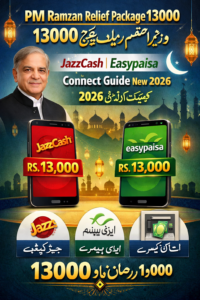
The allocated funds can be collected in several ways: via the JazzCash mobile app, through authorized JazzCash agents located nationwide, or by withdrawing from selected ATMs. When visiting an agent, beneficiaries must present their original CNIC and confirm the transaction via biometric verification. To protect funds, users must never share their MPIN or OTP with anyone. Scams often imitate government messages, so users should only trust notifications from official sources like “8171.”
Alternative Digital Method: Setting Up an EasyPaisa Account
For greater accessibility, many government programs allow payments through multiple mobile wallets. EasyPaisa account creation offers similar advantages. Like JazzCash, a valid CNIC and a registered mobile number are essential.
EasyPaisa Account Registration Process
EasyPaisa account setup can be done using the EasyPaisa mobile app or by visiting a nearby EasyPaisa agent. For app registration, the process mirrors JazzCash: download the app, enter details, and complete biometric verification. Alternatively, an agent can initiate registration by biometric verification at their shop.
Collecting PM Ramadan Relief via EasyPaisa
Once registered with EasyPaisa, beneficiaries can collect their relief payments in the same manner as with JazzCash. The funds are transferred directly, and individuals can use the EasyPaisa app interface to manage funds or withdraw cash from an agent. This system simplifies financial transactions for many low-income families and removes the barrier of traditional banking. The digital ecosystem also allows for easy utility bill payments and mobile top-ups for users accessing services through platforms like SindhJobs.pk.
Key Advantages of Using a Mobile Wallet for Relief Funds
The transition to digital disbursement platforms like JazzCash and EasyPaisa offers significant advantages for both the government and beneficiaries. It ensures quick disbursement, reduces the risk of fraud and leakage (a common problem with physical distributions), and enhances financial inclusion by providing a banking alternative to those without formal bank accounts. The security features, backed by PIN protection and biometric verification, protect funds from unauthorized access.
Conclusion
The integration of JazzCash and EasyPaisa accounts into major government financial assistance programs marks a significant step toward digital financial inclusion in Pakistan. By providing direct-to-consumer digital payments for initiatives like the PM Ramadan Relief 2026, the government ensures that essential aid reaches recipients quickly and transparently. The ease of how to create a JazzCash account and receive PM Ramadan Relief 2026 facilitates a more streamlined and efficient process, empowering low-income families to access necessary support without facing logistical hurdles.
Frequently Asked Questions (FAQs)
Q1: How can I check my eligibility for the PM Ramadan Relief Package 2026?
You can check your eligibility online by visiting the official BISP 8171 portal (https://8171.bisp.gov.pk) or the dedicated PM Relief Portal (https://pmrrp.nitb.gov.pk) and entering your CNIC number.
Q2: Do I need a smartphone to create a JazzCash account?
No, you can also create a basic JazzCash account using a feature phone by dialing 786# from your Jazz SIM card and following the USSD menu prompts.
Q3: Is there a fee to receive government payments in my JazzCash or EasyPaisa account?
No, government relief payments are usually received free of charge. However, standard transaction fees might apply for other services like bill payments or certain withdrawals (check current rates on the official website or app).
Q4: Can I receive funds from more than one government relief program in the same mobile wallet?
Yes, mobile wallets like JazzCash and EasyPaisa are often used by the government for various programs, allowing beneficiaries to receive funds from multiple sources (e.g., BISP and PMRRP).
Q5: What should I do if my JazzCash account shows a balance, but I haven’t received an SMS notification?
You should visit an authorized JazzCash agent or contact the official helpline. Ensure your mobile number details are updated on the government’s portal to receive timely notifications.
Q6: How long does it take for funds to be credited to my account after eligibility confirmation?
The timeframe can vary, but typically funds are disbursed in phases. Once approval is confirmed by the government portal, funds usually appear in the mobile wallet within a few days to a week.
Q7: Is it safe to share my CNIC number for verification?
Yes, sharing your CNIC number on official government portals (like 8171 BISP) or with authorized mobile wallet agents during registration and withdrawal processes is safe and necessary for verification. However, never share your MPIN or OTP with anyone.