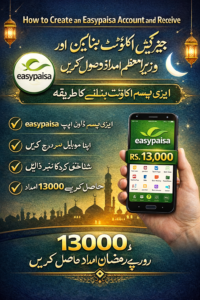
How to Create an EasyPaisa Account and Receive PM Ramadan Relief New in 2026
Mobile wallets have rapidly transformed how financial assistance and government subsidies are delivered in Pakistan. The focus on a digital economy has streamlined processes, making it easier for citizens to access funds quickly and securely. Among the most popular platforms is EasyPaisa, a service that has become synonymous with digital financial inclusion. Through EasyPaisa, eligible citizens can receive government relief payments, transfer money, pay bills, and manage their finances with unprecedented convenience directly from their smartphones.
This guide details exactly how to create an EasyPaisa account and receive PM Ramadan Relief 2026 payments in a straightforward manner. The Prime Minister’s Ramadan Relief Package, distributed through channels like EasyPaisa, aims to support vulnerable families by providing timely financial aid during the holy month of Ramadan.
Understanding the Government’s Digital Relief Program
The distribution of government assistance through digital wallets like EasyPaisa represents a significant shift from traditional methods involving physical distribution points or post offices. This approach, part of a broader push for digital financial inclusion, enhances transparency and reduces logistical hurdles. The Prime Minister’s Ramadan Relief Package 2026 builds upon the framework established by the Benazir Income Support Program (BISP) and other relief initiatives, using technology to ensure aid reaches beneficiaries efficiently.
To access the funds from the PM Ramadan Relief Package 2026, eligible recipients must utilize a digital payment platform. EasyPaisa, with its extensive network and user-friendly interface, serves as a primary conduit for these government-to-person (G2P) payments.
Requirements for Opening an EasyPaisa Account
Before proceeding with account creation, aspiring users must gather a few simple requirements. The registration process for an EasyPaisa account is completely free, quick, and designed for accessibility across different demographics in Pakistan.
The essential requirements include:
- A valid CNIC (Computerized National Identity Card): The CNIC number is used to verify identity and link the account to government databases for relief distribution.
- A mobile number registered on your CNIC: The mobile number must be biometrically verified and registered under the user’s name.
- A smartphone (for app registration): While not mandatory for agent registration, a smartphone provides greater functionality for managing funds remotely.
Methods for Creating an EasyPaisa Account
There are two primary methods available for creating an EasyPaisa account, catering to users with or without access to digital technology.
Method 1: Using the EasyPaisa Mobile App
This method offers the most comprehensive set of features and convenience for users who possess a smartphone.
- Download the EasyPaisa App: Open the Google Play Store (for Android devices) or the Apple App Store (for iOS devices). Search for “EasyPaisa – Mobile Wallet.” Download and install the application, which is developed by Telenor Microfinance Bank. You can also visit the official website at easypaisa.com.pk to find direct links to the application stores.
- Initiate Account Creation: Open the newly installed application and tap on the “Create Account” option. The app will prompt you to input key personal information.
- Enter Personal Details: Provide your mobile number and CNIC details exactly as they appear on your CNIC card. A crucial step involves verifying your identity using either a biometric scan (fingerprint verification) or an OTP (One-Time Password) sent to your registered mobile number.
- Set Up Account Access: After successful verification, you will be asked to set a secure five-digit PIN code. This PIN acts as your primary security key for logging in and authorizing transactions within the EasyPaisa app.
Method 2: Register Through an EasyPaisa Agent
For individuals without access to a smartphone or high-speed internet, registering with an agent provides a simple alternative.
- Visit a Local EasyPaisa Agent: Locate a nearby EasyPaisa shop or agent outlet. These agents are certified partners found throughout cities and rural areas.
- Provide Documentation: Present your valid CNIC and the mobile phone number you wish to use for the wallet.
- Complete Biometric Verification: The agent will perform a biometric verification using their point-of-sale device. This process links your CNIC details to your new EasyPaisa wallet. Once verified, your account will be activated, and you will receive a confirmation message on your mobile phone.
How to Receive the PM Ramadan Relief Package Funds Via EasyPaisa
Once your EasyPaisa account is created, you can proceed to receive the government relief funds if you qualify for the program. The PM Ramadan Relief package is typically distributed to beneficiaries identified by the formal government screening processes.
Checking Eligibility for the PM Ramadan Relief Package
To confirm your eligibility status for the PM Ramadan Relief 2026, you must utilize the official government channels. The government emphasizes the importance of using verified sources to avoid fraudulent activities.
- BISP 8171 Portal: The primary source for checking eligibility for various government relief programs, including the Ramadan package, is the BISP 8171 portal. Enter your CNIC number on https://8171.bisp.gov.pk to check your status.
- PM Ramadan Relief Portal: The government may establish a separate portal specifically for the Ramadan relief initiative. Check updates and official announcements on https://pmrrp.nitb.gov.pk to learn more about the program criteria and verification status.
Receiving and Withdrawing Funds:
If you are approved as a PM Ramadan Relief beneficiary, the funds will be transferred automatically to the mobile number associated with your CNIC.
- In-App Transfer: The funds will appear directly in your EasyPaisa mobile wallet. You can then use the provided funds for various services, including bill payments, transfers to other financial institutions, or mobile package top-ups via the app.
- Agent Withdrawal: If cash withdrawal is required, simply visit any EasyPaisa agent shop. Provide your CNIC and mobile number, use a biometric verification, and inform the agent of the amount you wish to withdraw from your wallet.
Security Measures for Safeguarding Your Account
Protecting your EasyPaisa account and data is crucial during the process of receiving government funds. Be vigilant against scams and follow these essential security tips:
- Protect Your PIN and OTP: Never share your secure PIN code, OTP code, or biometric data with anyone, even if they claim to be from EasyPaisa or the government. Legitimate representatives will never request this information.
- Avoid Fake Websites: Always check eligibility and details exclusively through the official government portals like the BISP 8171 website or the PM Ramadan Relief portal. Avoid clicking on unverified links or WhatsApp messages that offer government payments.
- Verify Identity at Agents: When withdrawing funds from an agent, ensure that you use biometric verification to confirm your identity.
EasyPaisa and Employment Opportunities
Beyond financial services, the increase in digital transactions and agent networks has created numerous job opportunities across Pakistan. For those seeking employment in the growing digital finance sector, career portals like SindhJobs.pk serve as crucial resources, listing positions for agents, operations staff, and technology professionals in the mobile wallet industry. The growth fueled by initiatives like the PM Ramadan Relief package contributes significantly to both financial inclusion and economic development.
Advantages of Using EasyPaisa
EasyPaisa offers numerous benefits, making it an ideal platform for government relief distribution and everyday financial management:
- Secure Digital Wallet: All transactions are protected by a secure PIN and biometric verification.
- Bill Payments: Pay utility bills, mobile phone packages, and internet services directly from the app.
- Accessibility: Allows users to send and receive money across different cities in Pakistan easily, even to those without bank accounts.
FAQs about EasyPaisa and Government Relief
Q1: What exactly is the PM Ramadan Relief 2026?
A: The PM Ramadan Relief 2026 is a financial assistance package provided by the government of Pakistan to support eligible low-income families during the holy month of Ramadan. The goal is to provide timely monetary aid to help citizens cope with rising living costs.
Q2: How do I check if I am eligible for the PM Ramadan Relief Package?
A: You can check your eligibility by visiting the official BISP portal at https://8171.bisp.gov.pk and entering your CNIC number. You can also visit designated government verification centers for assistance.
Q3: Can I receive the relief payment if I don’t have a smartphone?
A: Yes. You can activate your EasyPaisa account by visiting a nearby EasyPaisa agent shop and undergoing biometric verification there. You can then withdraw the funds in cash from the agent.
Q4: Is there a fee to create an EasyPaisa account?
A: No, creating an EasyPaisa account is completely free of charge. There are no registration fees for setting up the digital wallet.
Q5: What is the benefit of using EasyPaisa instead of physical cash distribution points?
A: Digital distribution through EasyPaisa ensures faster delivery of funds, enhances transparency, reduces administrative costs, and minimizes the risk associated with handling large amounts of physical cash at distribution centers.
Q6: How long does it take for the funds to appear in my EasyPaisa account after approval?
A: Once you are confirmed as eligible through the official portal, funds from the government relief program typically appear almost instantly or within a few hours in your EasyPaisa wallet, depending on the release cycle.
Q7: What steps should I take if I receive a suspicious call or message about the PM Ramadan Relief?
A: Immediately report suspicious calls or messages offering to help you access relief funds in exchange for your PIN, OTP, or CNIC details. Always rely on official government portals for information and avoid sharing sensitive data.
Conclusion
How to create an EasyPaisa account and receive PM Ramadan Relief 2026 is becoming an increasingly critical skill for eligible citizens in Pakistan. The government’s continued commitment to digital financial inclusion simplifies the process of receiving essential aid, ensuring timely support reaches those most in need. By utilizing secure platforms like EasyPaisa, the process of receiving government funds transforms from a logistical challenge into a seamless and efficient digital transaction. As government programs continue to leverage technology, services like EasyPaisa will remain vital in providing essential financial support to citizens across the country.